Multi-tenant SaaS · Messaging
WhatsApp Broadcast Platform
Businesses link their own WhatsApp number by QR and send personalised broadcasts from a spreadsheet, paced to stay safe, with a full admin console for the operator.
- Queue design
- Circuit breakers
- Rate limiting
- Anti-ban pacing
- Excel import
- Crash recovery
- Audit trail
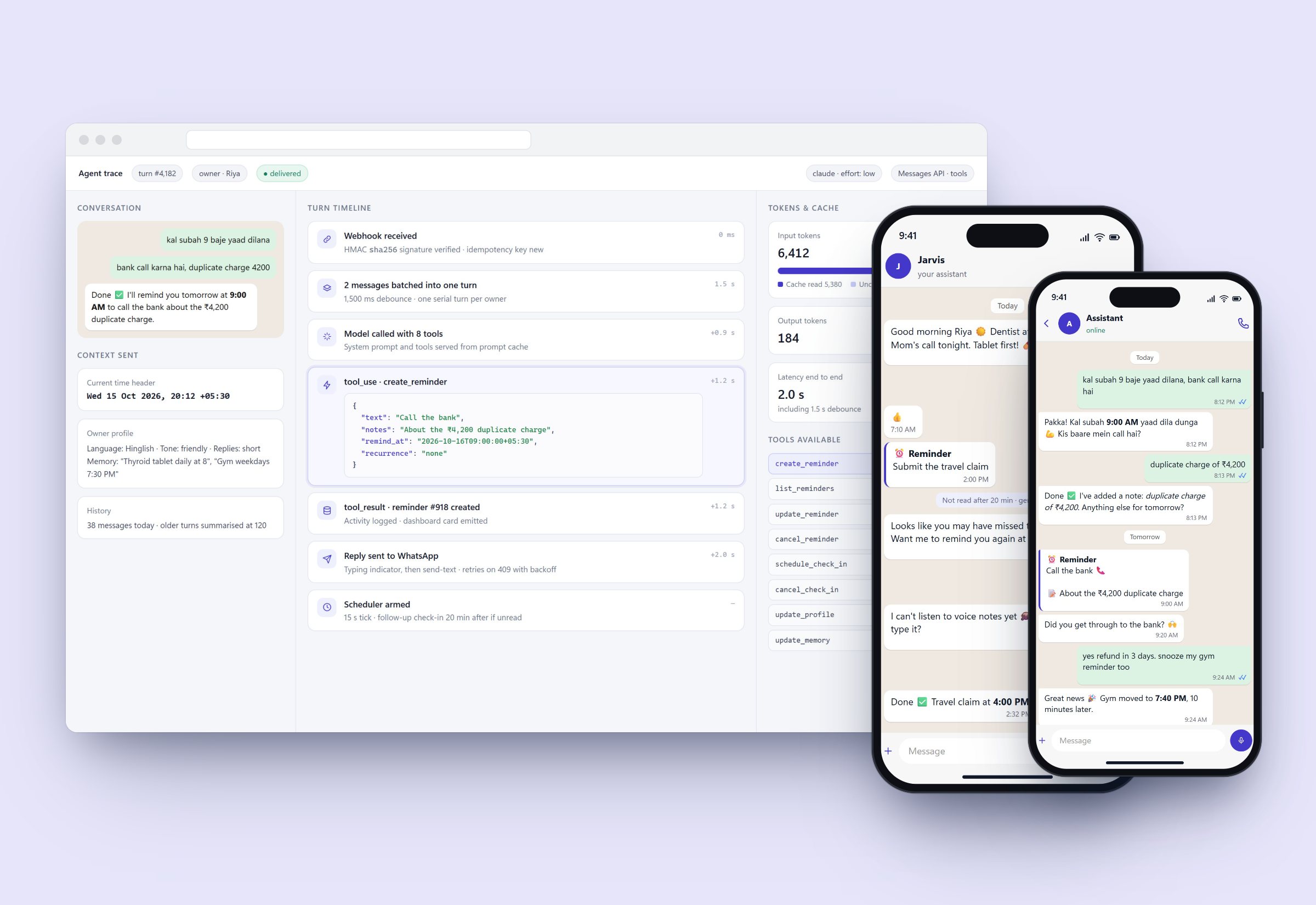
Product screens with sample data. Names and figures inside the screens are illustrative.
The problem
Small businesses want to message their customers on WhatsApp without getting their number banned or sending the same message twice.
- ~45
- HTTP routes
- 5,000
- Recipients per sheet
- 5
- Failures before auto-pause
What I built
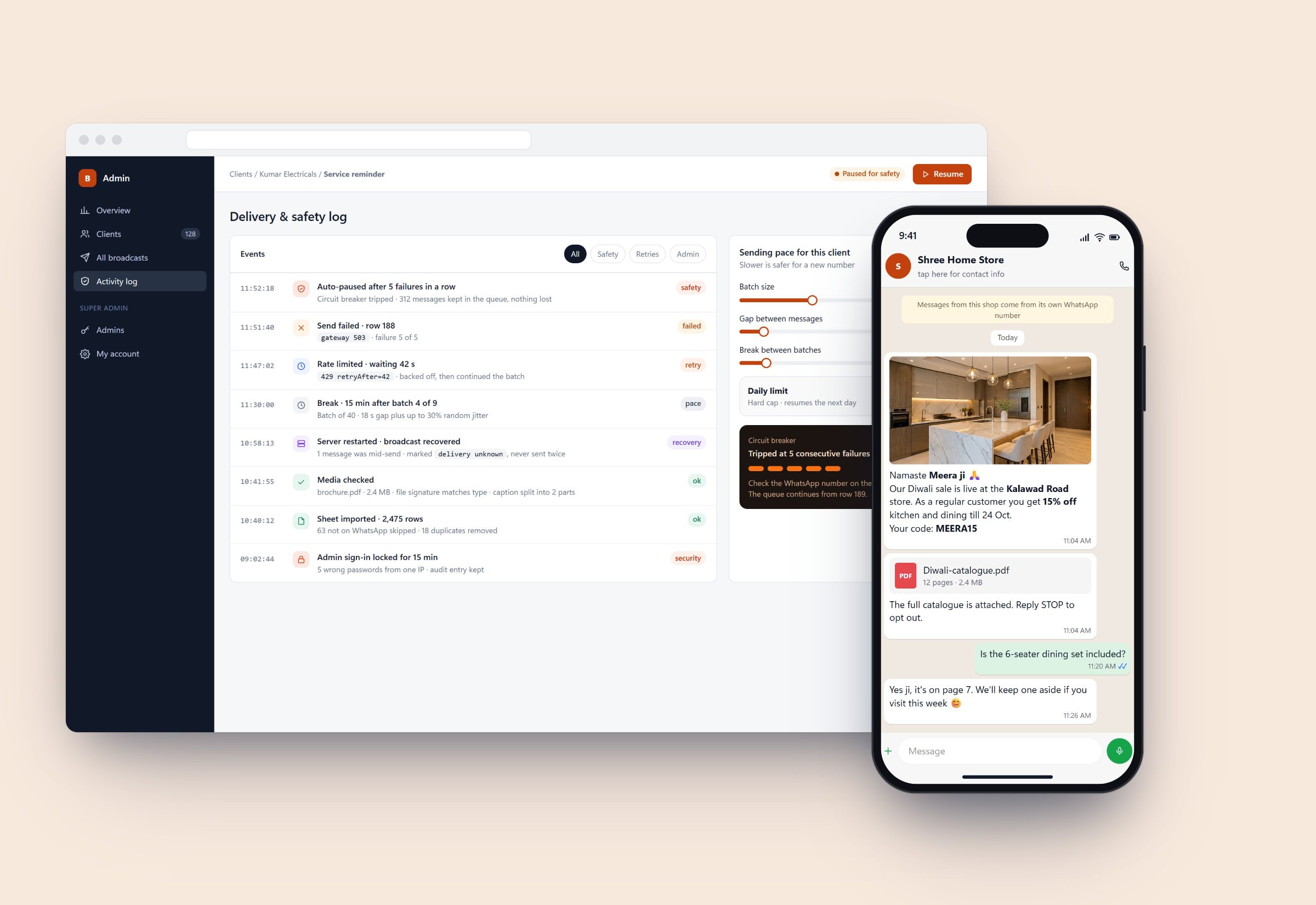
The shop's own number, linked in a minute
Clients scan a QR code with their WhatsApp, and the session moves from starting to ready on its own. Every row in the sheet is checked on WhatsApp before sending, so invalid numbers never count as failures.
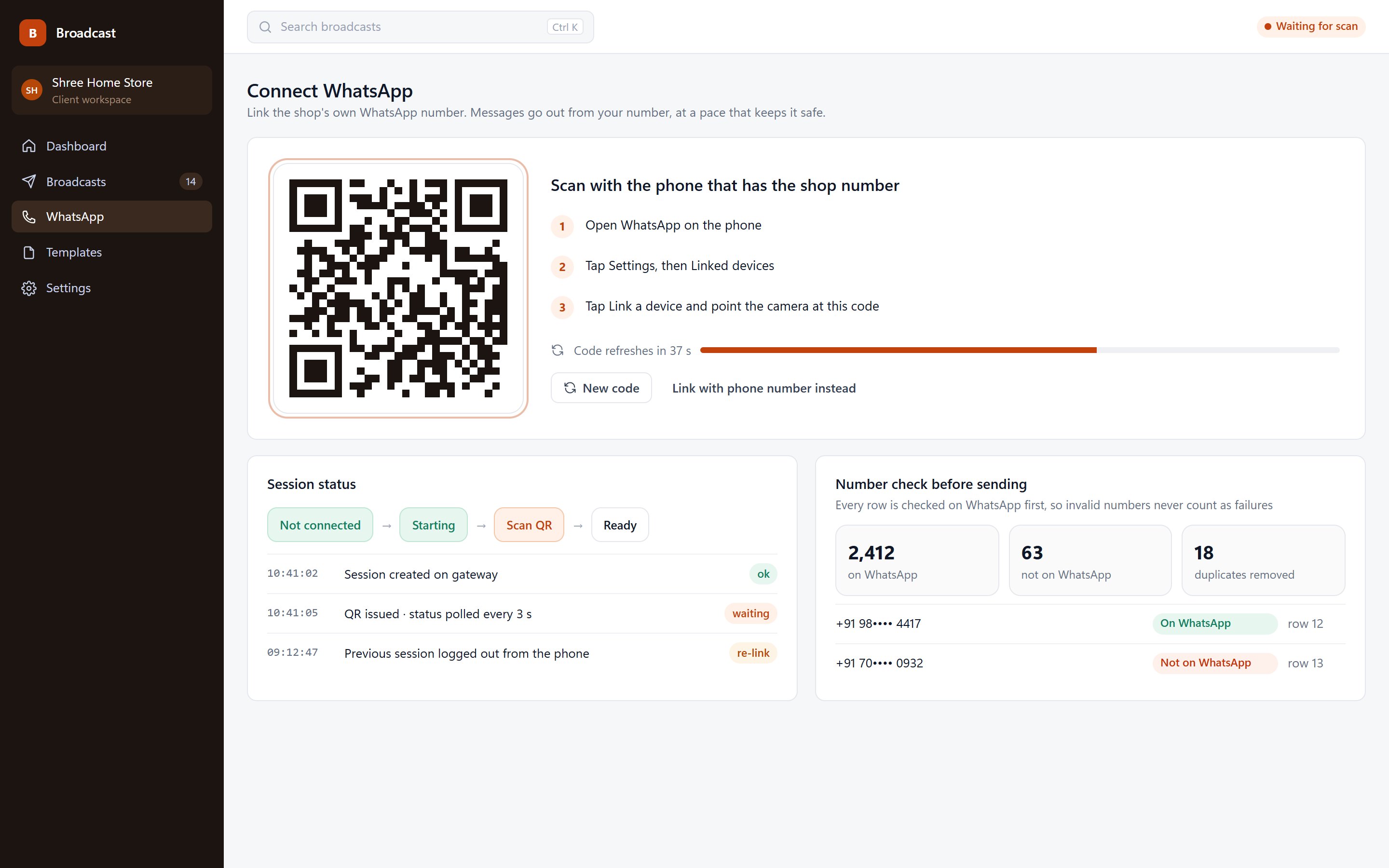
Write once, personalise for everyone
Upload an .xlsx or .csv of up to 5,000 rows; any column becomes a {{variable}}. Numbers are normalised and de-duplicated. Media up to 16 MB is supported, and captions over 1,024 characters are split cleanly.
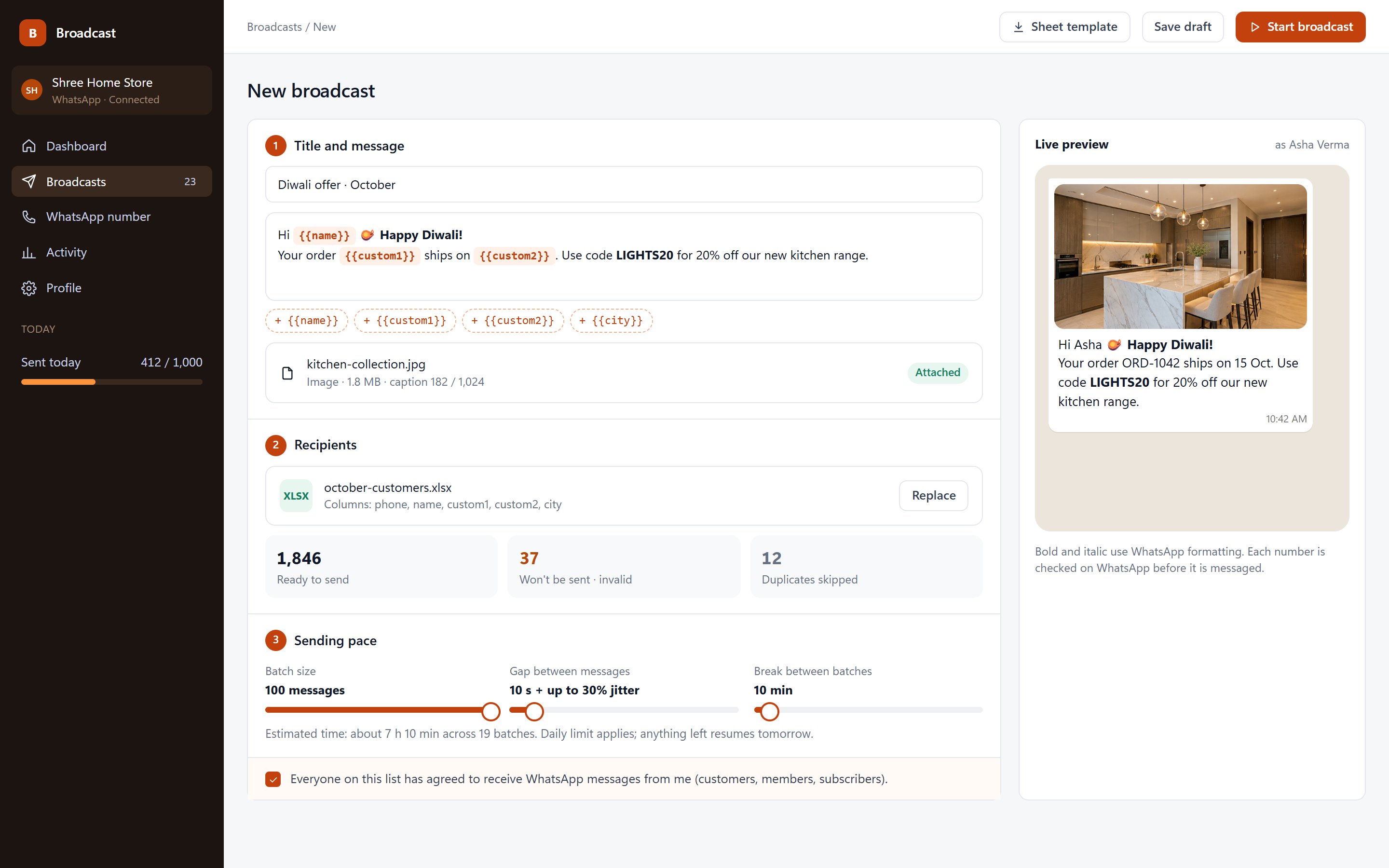
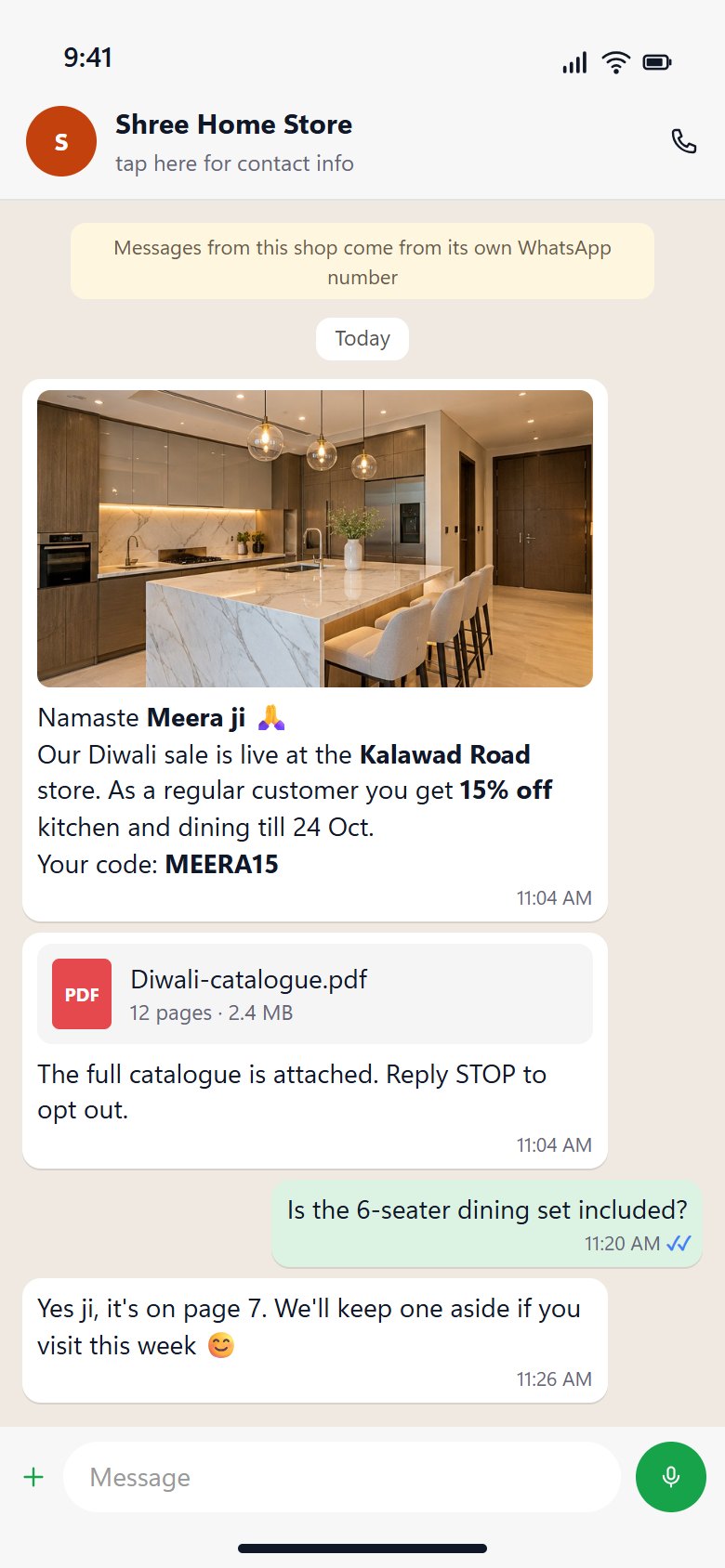
It reads like a message from the shop
Customers get a personal message with their name, store and code, from the number they already know, with the catalogue attached.
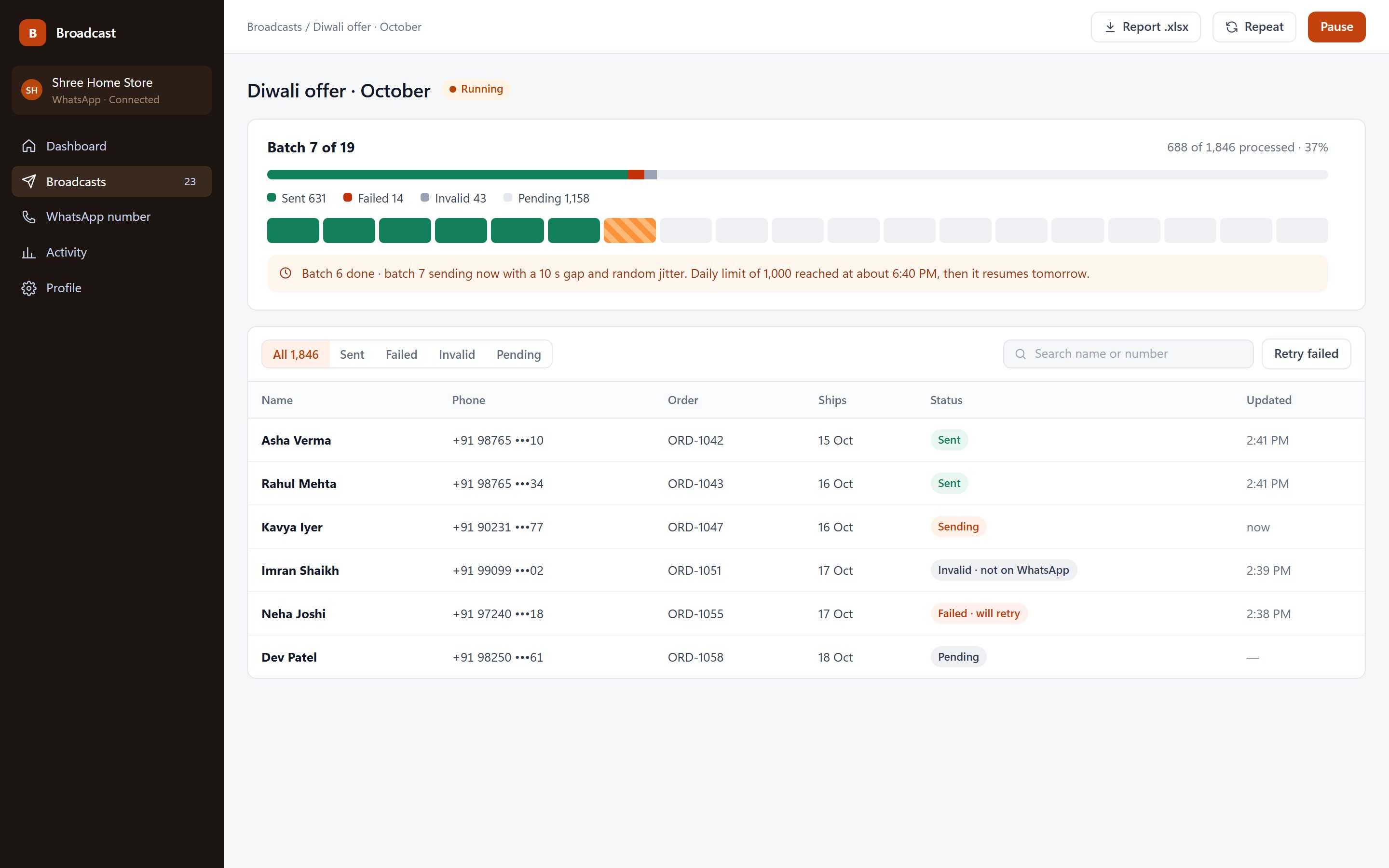
Paced like a person, not a script
Batches of 10–100, gaps of 5–120 s with up to 50% random jitter, breaks between batches and a daily cap per client. Progress, failures and the next batch are visible live.
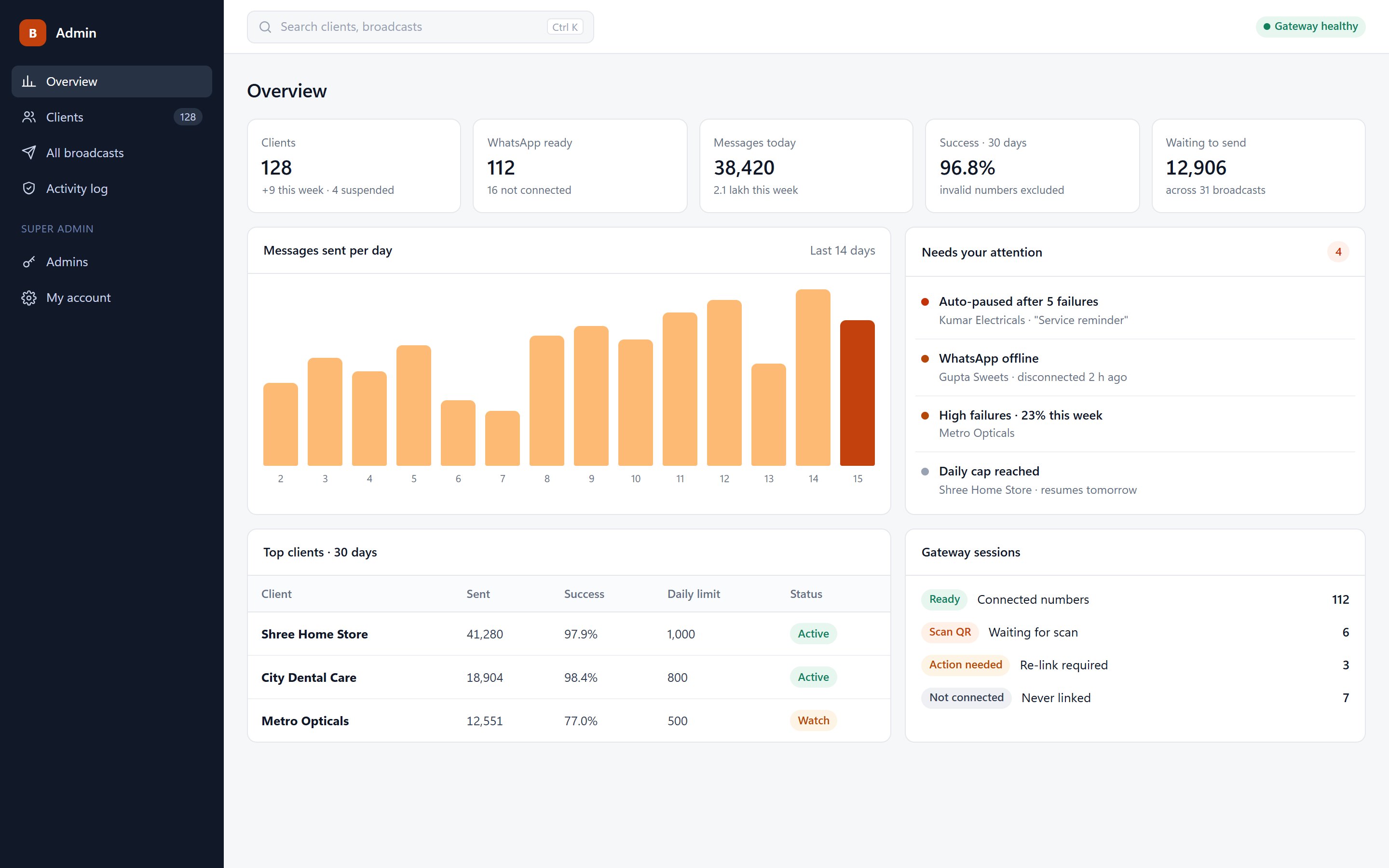
An operator console
Clients, limits, suspensions, gateway health and a 'needs your attention' list, with every action recorded in an audit trail.
03 Advanced engineering
A sending queue built to protect the number
The risky part of broadcasting isn't the sending; it's what happens when things go wrong. The queue is designed so that throttling, gateway errors and server restarts never ban a number or message someone twice.
- 01Upload checked by file signature
- 02Normalise and de-duplicate numbers
- 03Check each number on WhatsApp
- 04Queue in SQLite
- 05Batch, jittered gap, break
- 06Send through the gateway
- 07429: wait retryAfter
- 085 failures in a row: auto-pause
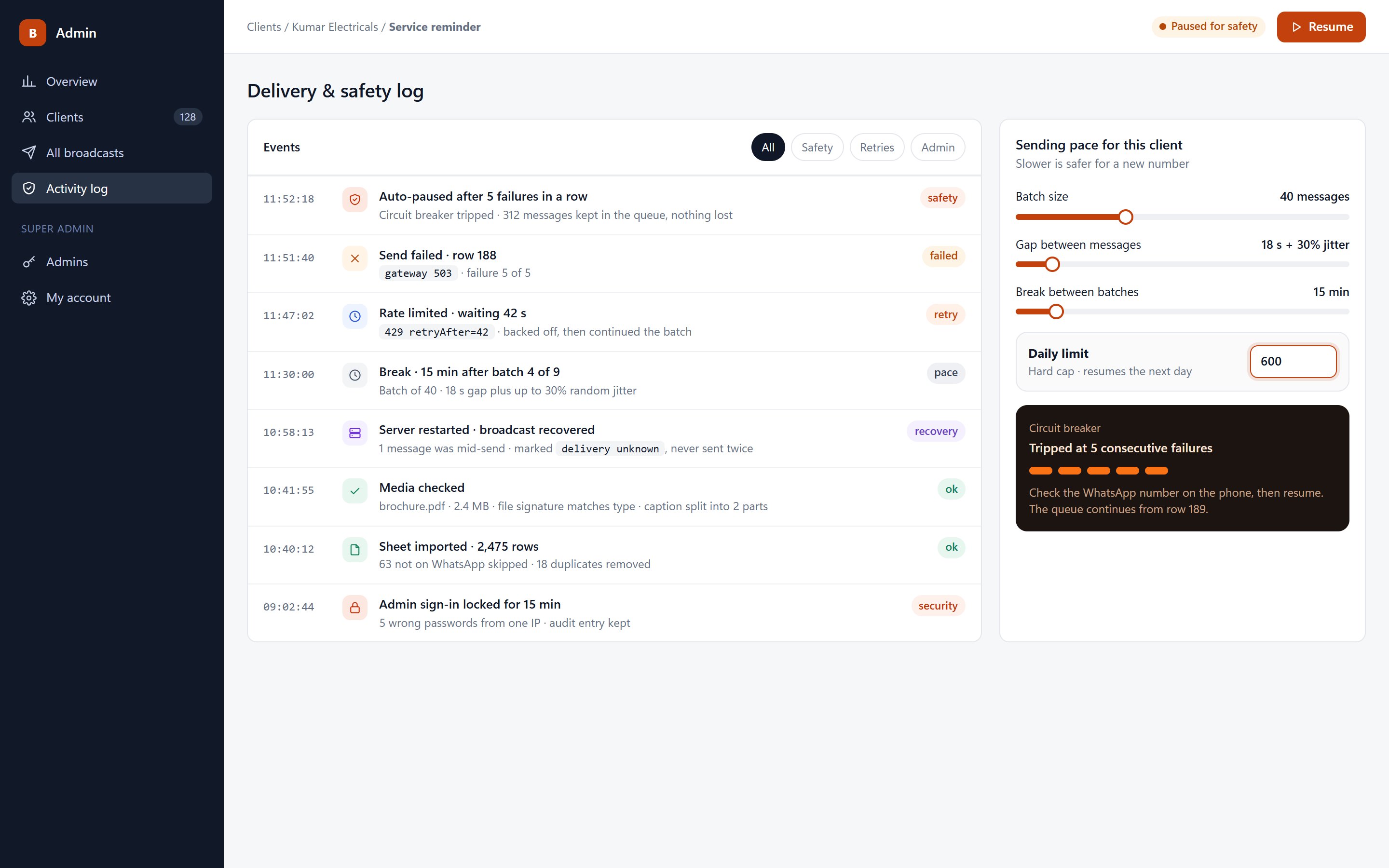
Delivery and safety log with sample data.
Circuit breaker
Five consecutive failures pause the broadcast and keep the queue intact. The client sees a plain note: check the WhatsApp number, then resume.
Respecting throttling
A 429 from the gateway is honoured with its retryAfter delay before the batch continues, instead of hammering the number.
Crash-safe by design
After a restart, anything stuck mid-send is marked 'delivery unknown' rather than retried, so no customer gets a duplicate.
Daily caps that hold
Each client has a hard daily limit set by the operator; the broadcast stops for the day and resumes on its own the next morning.
Uploads checked by content
Files are validated by their bytes, not their extension, behind CSP and strict session cookies.
Locked-down admin
Five wrong passwords lock sign-in for 15 minutes, and every admin action lands in the audit trail.
- Server
- Node.js · Express · ~45 routes
- Data
- SQLite · 7 tables
- Sheets
- ExcelJS · 5,000 rows · 5 MB
- Numbers
- libphonenumber · WhatsApp check
- Pacing
- Batch 10–100 · gap 5–120 s · jitter ≤ 50%
- Limits
- Daily cap per client · break 1–120 min
- Media
- Up to 16 MB · captions split at 1,024
- Security
- CSP · signature checks · lockout · audit
Key decisions
Unknown beats duplicate
When the system can't be sure a message went out, it says so instead of guessing and sending it again.
Validate before you queue
Numbers are checked on WhatsApp first, so failure rates reflect real problems and the circuit breaker trips only when it should.
Plain-language states
Clients see 'Paused for safety' and 'Daily limit reached, resumes tomorrow', not error codes.